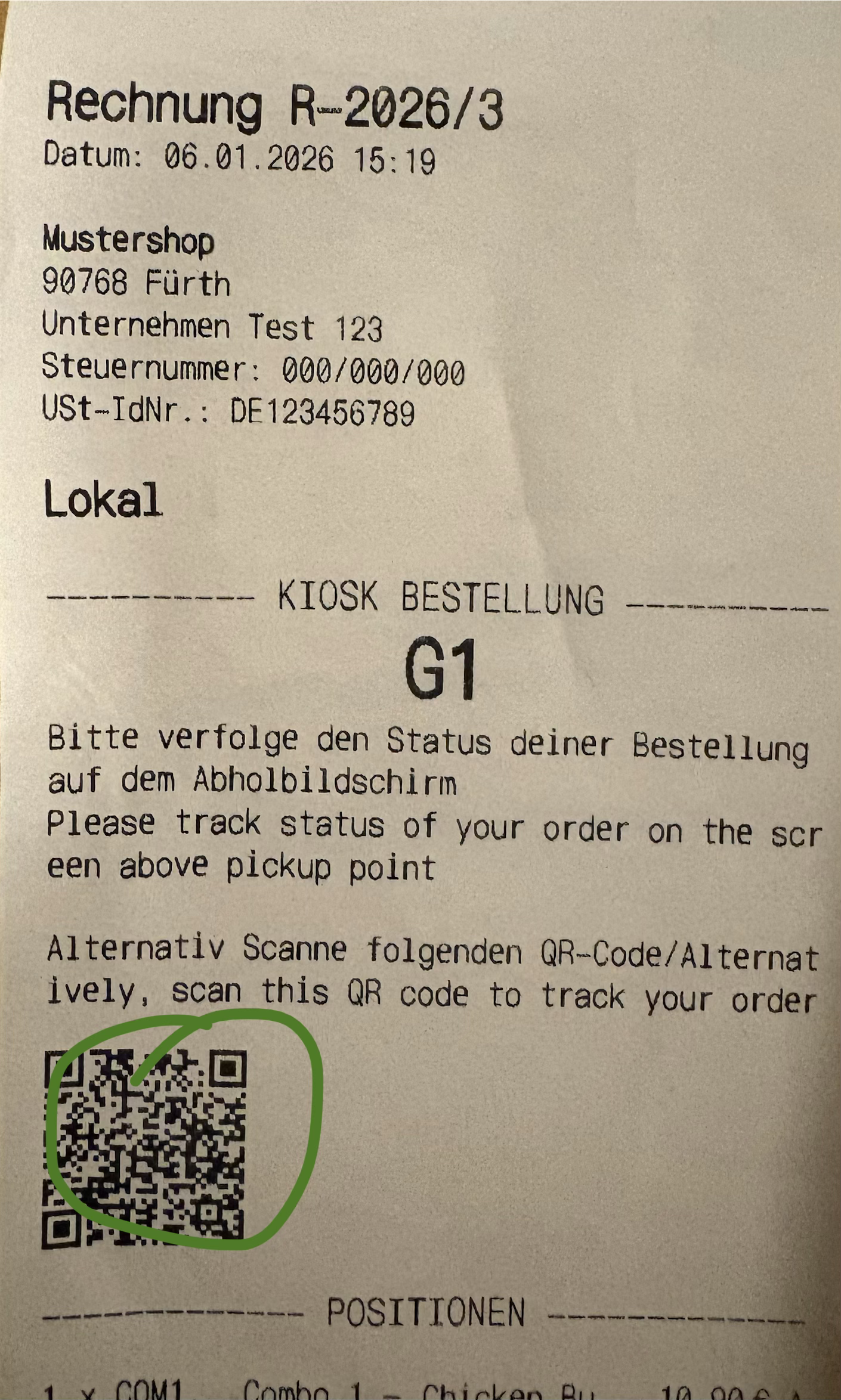
Customer order status QR code
From OrderHi POS v.9.4.0 and OrderHi Kiosk v.9.4.0, you can generate a QR code for your kiosk orders that allows your customers to track the status of their order directly on their smartphone.
This is useful if your pickup screen is not easily visible, or if you want customers to be able to check their order status discreetly.
Enable the order status QR code
- At the POS: Go to Settings > Program > Kiosk/Status management > Print customer order status QR code ("Einstellungen > Programm > Kiosk/Statusverwaltung > Kundenbestellstatus QR-Code drucken")
- At the kiosk: In the main settings you will find Print customer order status QR code ("Kundenbestellstatus QR-Code drucken") directly