Performing the End-of-Day Closing
At the end of the day, an end-of-day closing must be performed to close the POS and book the revenue.
Steps for the end-of-day closing
You must log in to the POS with the manager account or an account with the corresponding permissions.
- At the POS, navigate to the menu item Reports ("Berichte").
- Tap Perform end-of-day closing ("Tagesabschluss durchführen")
- A preview is displayed. Check the details and tap Perform end-of-day closing again

Why is the end-of-day closing not possible?
- There are open sales (red marking); you must complete them first
Printer settings for the end-of-day closing
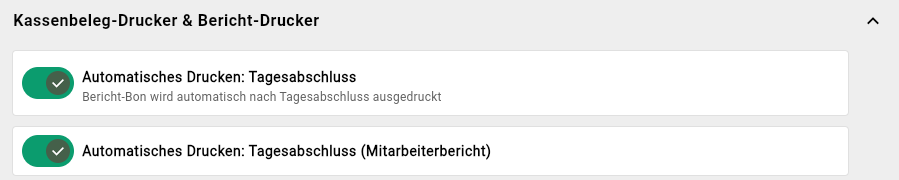
You can disable automatic receipt printing at the end-of-day closing. Reports will still be available as PDF or DATEV (add-on package) in the business customer portal.
POS settings > Printer > Printer settings > Receipt printer & report printer ("Kasse-Einstellungen > Drucker > Drucker-Einstellungen > Kassenbeleg-Drucker & Bericht-Drucker")
ZVT card reader end-of-day closing
A ZVT end-of-day closing is performed automatically for all connected ZVT card readers during the POS's regular end-of-day closing. Learn more in the article ZVT card reader end-of-day closing.