DATEV Export
Requires either the DATEV package or the cash book package
You can export your sales in the DATEV format in the business customer portal.
Preparing for the export
You may need to set up or change accounts for the export beforehand. You can do this under POS > Accounting & Export (Kasse > Buchhaltung & Export).
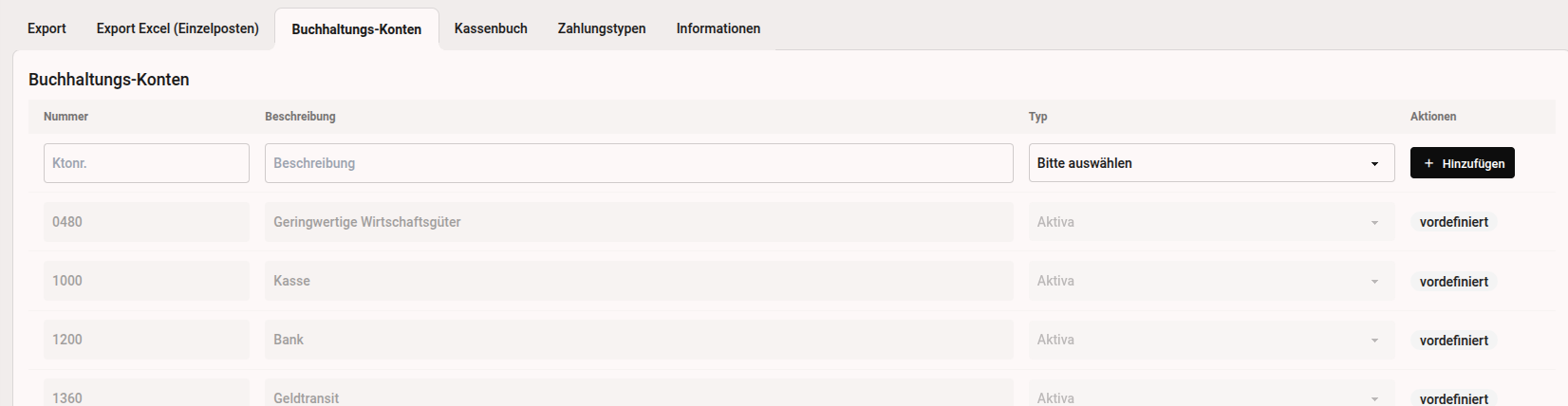
1. Create accounting accounts (optional)
You can create new accounting accounts under the Accounting accounts ("Buchhaltungs-Konten") tab.
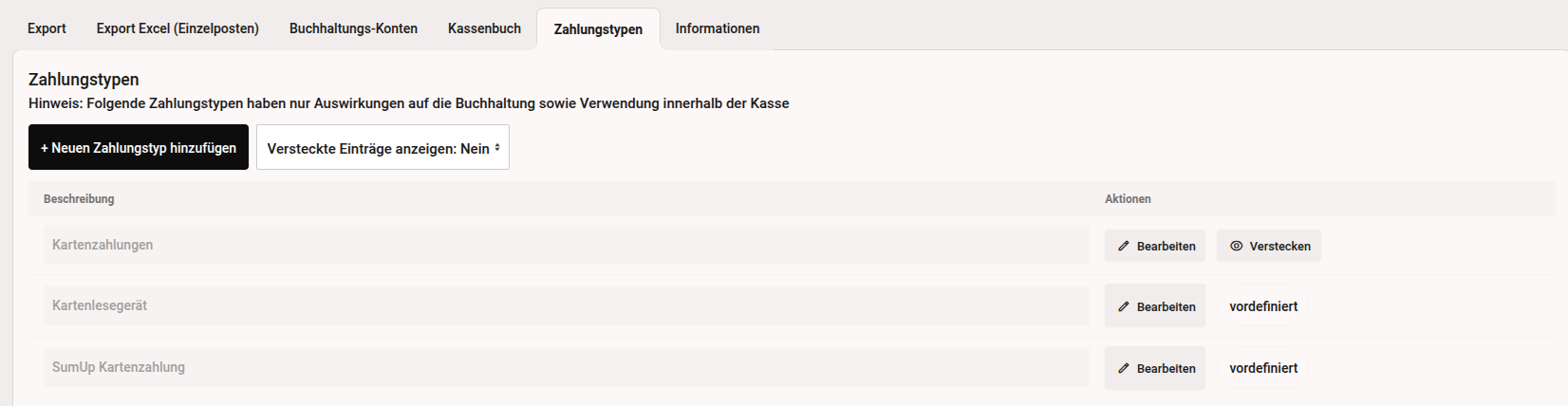
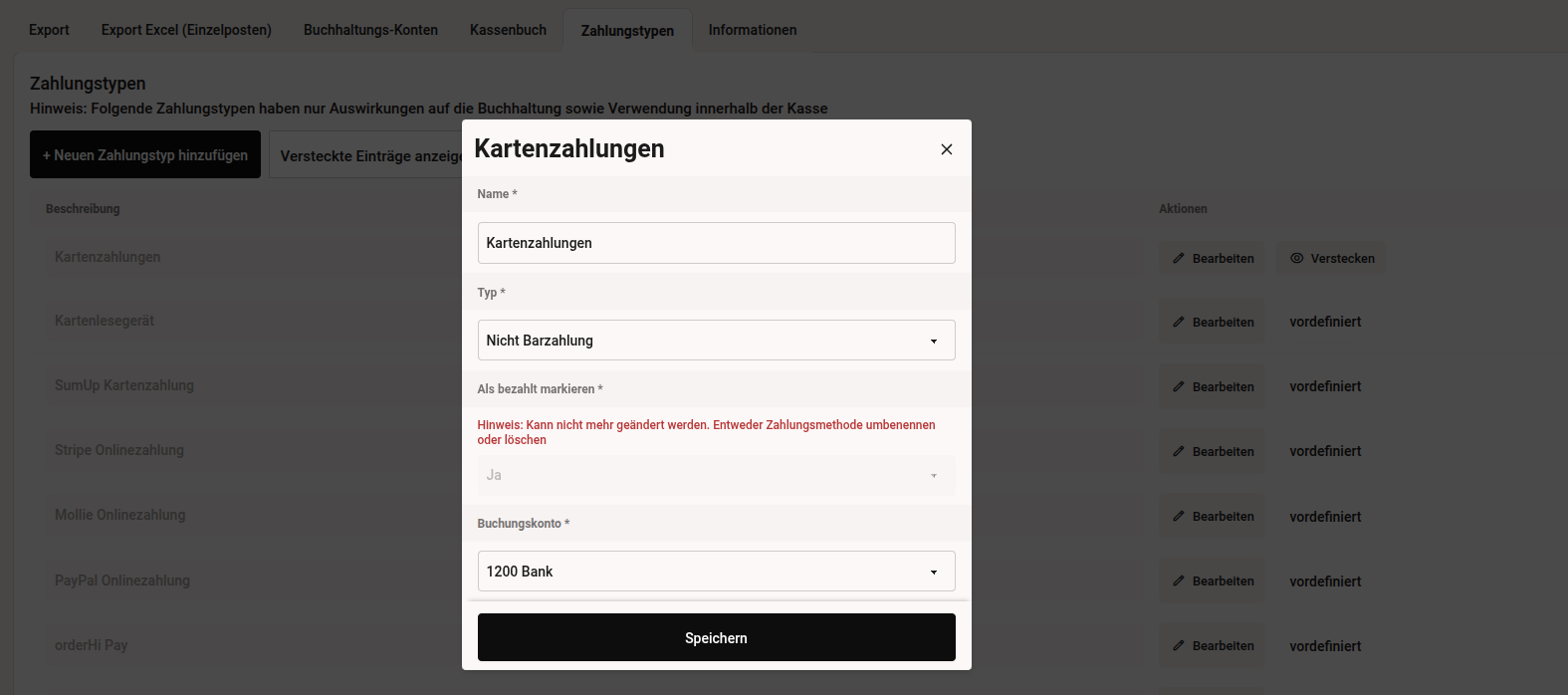
2. Change accounts for payment types (optional)
You can change accounting accounts for the different payment types under the Payment types ("Zahlungstypen") tab.
3. Start/download the export
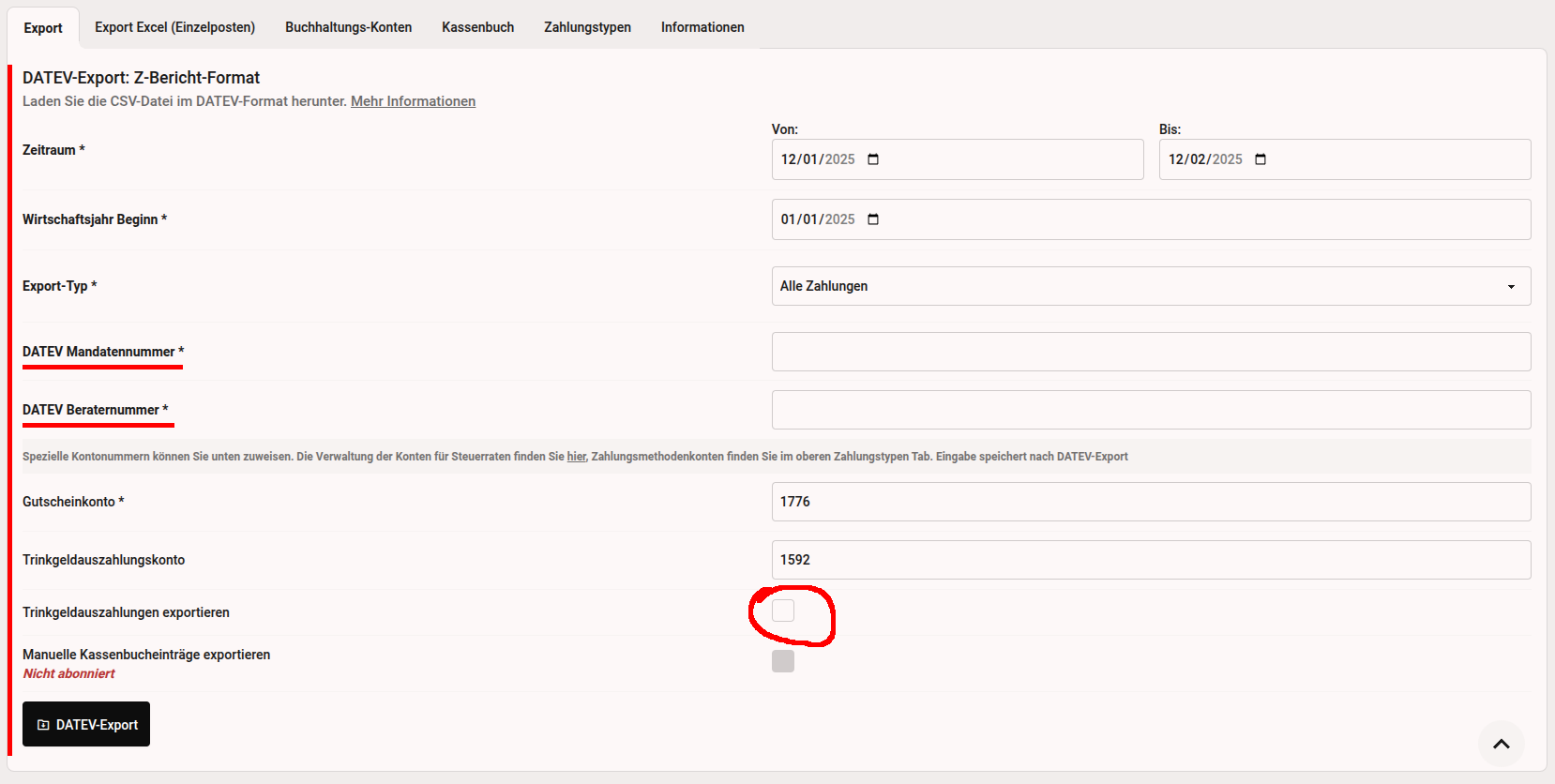
- Select the period
- Important: the start of the fiscal year should match
- Enter the DATEV client number and consultant number
- Optional: adjust the voucher account/tip payout account
- Include non-cash tip payouts in the export (tick the box)
- Optional with an additional subscription: include manual cash book entries in the export (tick the box)
- Click DATEV Export
Notes on vouchers
By default, account 1796 (SKR 03) is used for vouchers (liability and VAT). You can change this account directly in the export. When vouchers are redeemed, revenue and VAT are separated and shown on separate lines.